
Shaving a beard off in software sounds like an erase job. It isn’t. Facial hair covers the part of the face that carries the most identity — chin projection, jaw width, the line where the cheek turns into the neck — and once it is removed, something has to be drawn in its place. The tools below all claim to do that, and they fall down in different places depending on whether you are wearing a full beard, three days of stubble, or a goatee.
What “tested” means in this comparison
The word in the headline needs pinning down before anything else. Nobody ran these nine tools over a sample set of faces and scored the output. There was no panel and no accuracy figure — and a published accuracy number for a generative face edit would need a stated method behind it anyway. The comparison rests on two things: each tool’s documented capability, and what its own vendor page claims it can do. Both are read against three awkward cases — a full beard, heavy stubble, a goatee — because that is where the claims stop agreeing with each other. Prices come from the vendor’s page in September 2026. Where a number is missing, the vendor does not publish it.
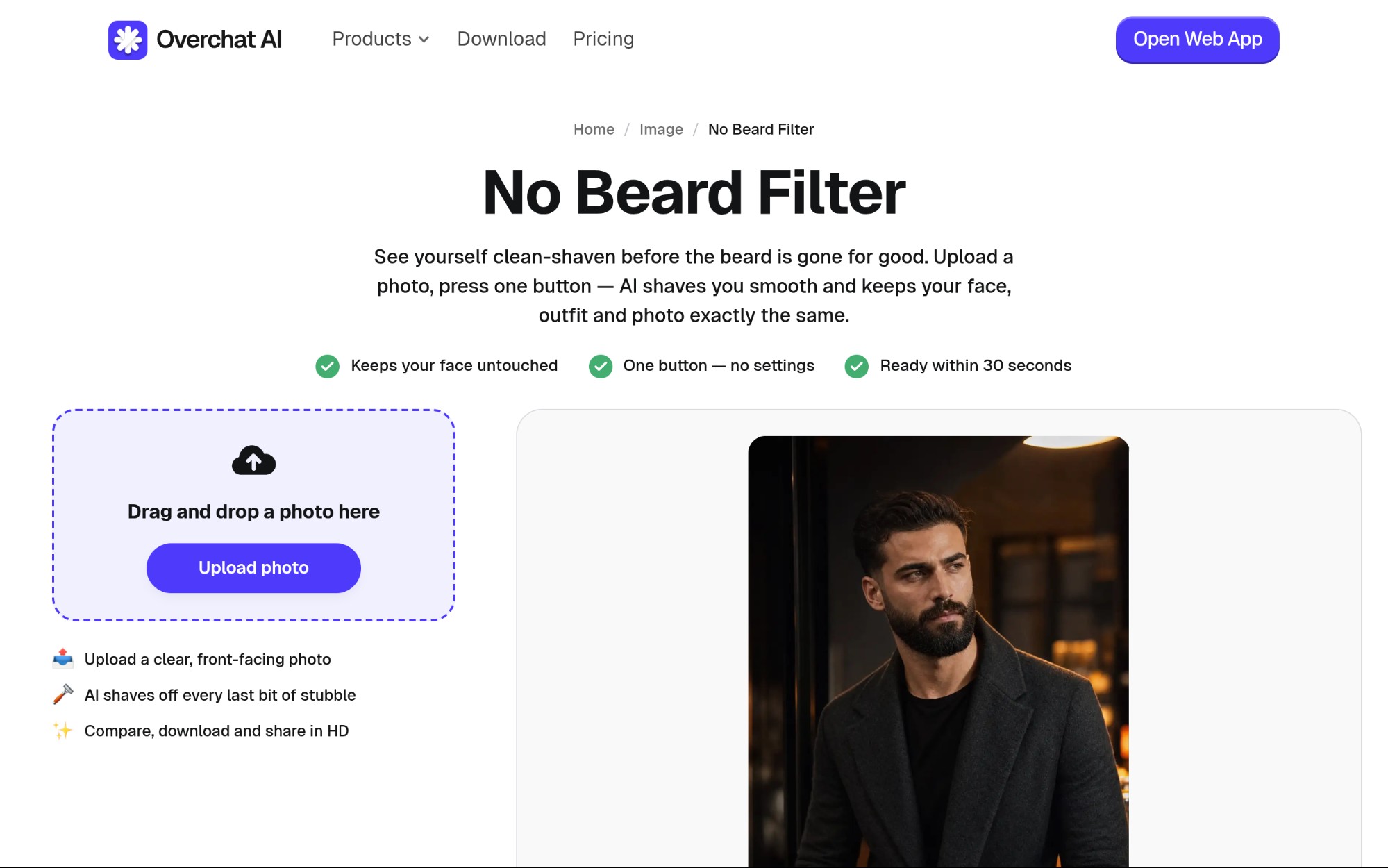
The Overchat AI page is a useful reference point: it spells out step count and processing time.
The three cases that separate these tools
A full beard is the hardest, because it is not an occlusion you can see past. The chin is gone. Jaw width is gone. The model infers both from what is still visible — cheekbones, the set of the mouth, the neck below the beard line — and draws a chin that fits. Two tools given the same photo can produce two different jaws, and both look plausible.
Stubble is a texture problem, not a shape problem. Structure is visible, but the skin carries a blue-gray cast and thousands of tiny dark points. Clearing them without turning the lower face into a smooth plastic panel is the whole job. Watch just below the lower lip — over-smoothing shows there first.
A goatee sits exactly where skin tone shifts. Chin and mouth are usually a slightly different tone from the cheeks, and a goatee covers the transition. Remove it and you get a patch with the right shape, the wrong color, and a soft border where the fill ends.
Five things a beard removal model has no direct evidence for once a full beard covers the lower face.
Tool design matters as much as model quality: a one-button tool and a brush tool fail differently on the same face.
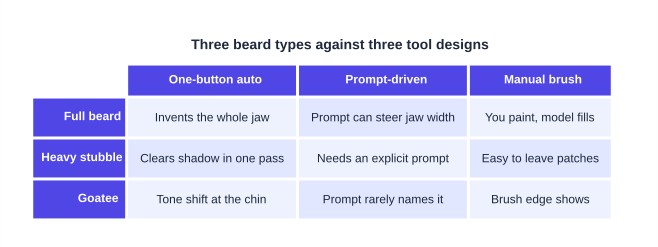
How the three interface designs in this roundup behave on each of the three beard types.
The nine, ranked on capability
| # | Tool | Interface | Control you get | Documented output |
|---|---|---|---|---|
| 1 | Overchat AI No Beard Filter | One button | None; before/after toggle | HD, no watermark |
| 2 | OpenArt | Prompt box | Prompt plus model choice | Up to 4K |
| 3 | Pokecut | Auto plus brush | Selective brush | Up to 4K, no watermark |
| 4 | Pixelbin | Model + ratio picker | Aspect ratio, API | Original resolution |
| 5 | Bylo.ai | Auto | Intensity slider | “High-resolution” |
| 6 | Clipfly | Preset or custom prompt | Prompt | Not specified |
| 7 | Media.io | Prompt box | Prompt | Not specified |
| 8 | YouCam Makeup | Preset filter | Filter choice | Not specified |
| 9 | Dreamina | Canvas + brush | Full manual masking | Chosen at export |
1. Overchat AI No Beard Filter
The page for the No Beard Filter describes four steps: upload a bearded photo, press “Shave the beard”, wait about 30 seconds, then toggle before and after and download in HD without a watermark. It accepts JPG, PNG, WebP and iPhone HEIC. Its FAQ is explicit on the hard cases: full beards, goatees, mustaches and dense stubble all go, and the model rebuilds chin and jawline rather than blurring the area, matching skin to the rest of the face. The same FAQ concedes the point that matters — this is an estimate inferred from visible structure, and a real shave can reveal small differences. Weakness: no settings at all, so you cannot ask it to leave light stubble or nudge the jaw narrower.
This filter is not sold on its own, which explains the missing settings. It ships as part of Overchat AI — 150+ purpose-built tools for image, video, audio and text under one subscription, served by GPT, Claude, Gemini, Grok, Kimi and Qwen, on web, iOS and Android, used by 350,000+ people. Pro asks $14.99 per month, or $59.99 once for a full year. A whole year at that rate is roughly what ChatGPT Plus, Claude Pro and Google AI Pro cost together for one.
2. OpenArt
Upload a JPG, PNG or WebP, type what you want (“remove beard completely”), generate. The page names its models — Nano Banana Pro, Nano Banana 2 and Qwen Image Edit — and says output reaches 4K depending on source and model. It is the most honest of the group about angles: front-facing and three-quarter work, and the page says plainly that a pure side profile is harder and may need extra prompting. Files over 10 MB should be re-exported at lower compression. Weakness: prompt-driven means variance — run the same photo twice and the chin can change.
3. Pokecut
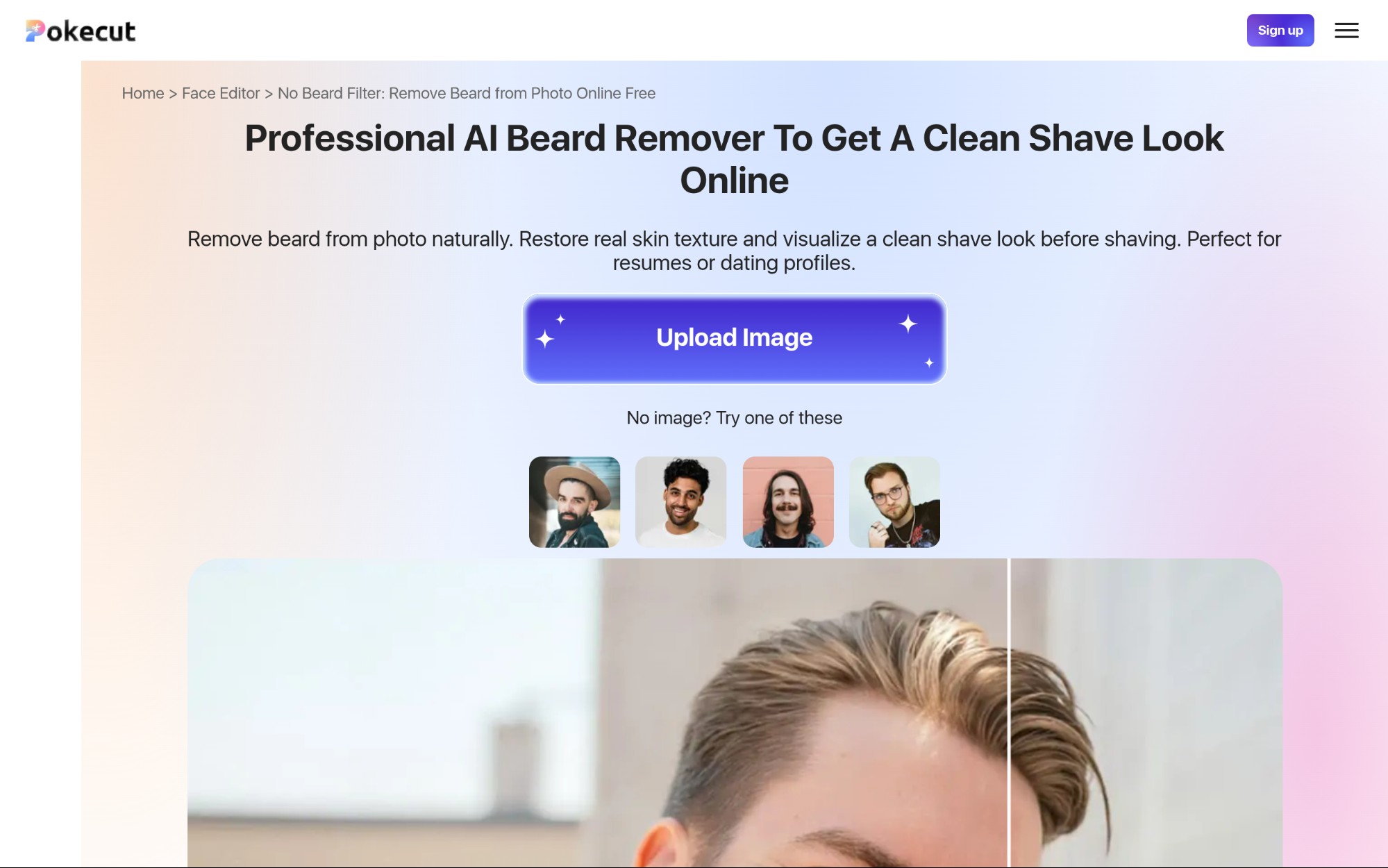
Automatic detection first, then an adjustable brush for selective removal — the combination that handles a goatee best, because you can restrict the fill to the patch rather than the lower face. No login, five accepted formats (JPEG, JPG, PNG, WebP, BMP), 4K output, no watermark. Its own page names the failure mode: neck shadow, with manual edge refinement sometimes needed. Paid plans are listed at $12.99/month for 800 credits or $69.99/year for 9,600.
4. Pixelbin
Upload PNG, JPG, JPEG or WEBP up to 10 MB, pick the Nano Banana model and an aspect ratio from 1:1, 16:9, 9:16, 4:3 or 3:4, then download in HD. Pixelbin is the one built for volume: its API runs the beardless edit across many images at once on premium plans. Free use is limited, then you sign up and buy credits. Weakness: the aspect-ratio picker can crop a portrait you wanted whole.
5. Bylo.ai
No login, upload and go, with adjustable removal intensity — useful if you want the beard thinned rather than gone. The page promises high-resolution, artifact-free output but names no formats, no size cap and no model. Weakness: nothing about watermarking or file limits is documented, so you learn the constraints by hitting them.
6. Clipfly
Runs on the Nano Banana model with preset prompts you can edit; downloads carry no watermark, per its page. Weakness: no size limit, no resolution figure and no stated limitations at all — an FAQ with no caveats tells you nothing about the hard cases.
7. Media.io
Browser-based, no registration for a first try, with a text prompt steering the transformation. It covers stubble through full beards, mustaches, goatees and sideburns. Weakness: neither file formats nor size limits are published, and “high-resolution downloads” is a claim without a number.
8. YouCam Makeup
The mobile route: open Photo Edit, upload, tap the Beard feature, choose the “Shaved” option, save. It is a preset inside a general retouching app on iPhone and Android. Weakness: a filter selection rather than a reconstruction you can direct, with no way to constrain it to a goatee patch.
9. Dreamina
Not a beard tool. You log in, open Canvas, upload, choose Remove, brush over the beard by hand and export at a file type and resolution you pick. That control is useful on a stubble patch a one-button tool over-smooths. Weakness: an account is required, the brush work is on you, and no limits are documented for this path.
Getting a usable result
Every vendor here agrees on input quality, the one variable you control.
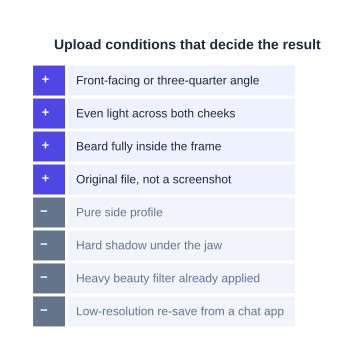
Conditions the vendor pages in this roundup agree on, split into what helps the model and what defeats it.
One last thing. A clean-shaven preview is a plausible face, not your face. Run the same photo through two of these and compare the chins — the gap between them is the size of the guess.